
Randonautica
Randonauts Co.Travel & Local
4.65.06K Reviews
- Version
- 3.3.2
- Installs
- 10.00M
- Age Rating
- Everyone
Screenshots
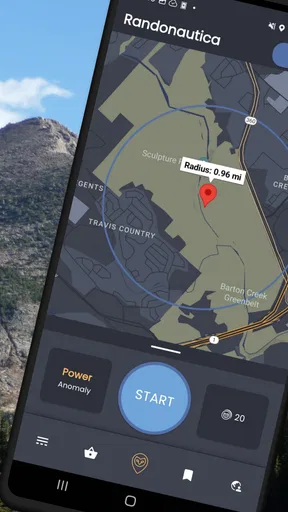
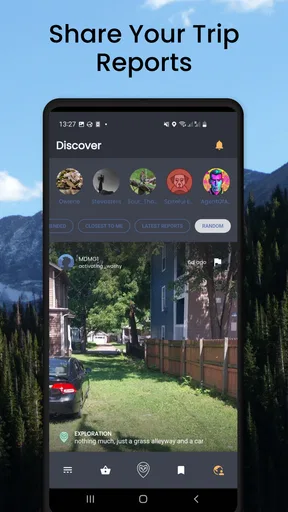
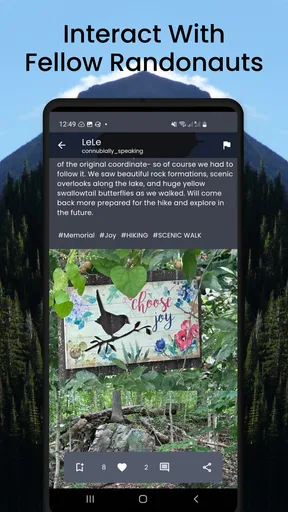
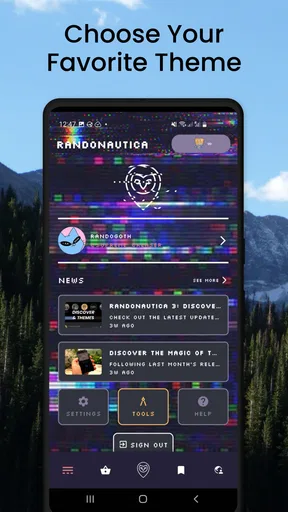
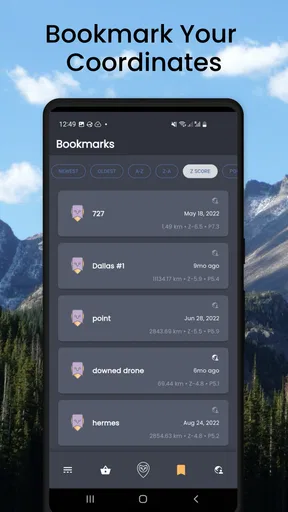
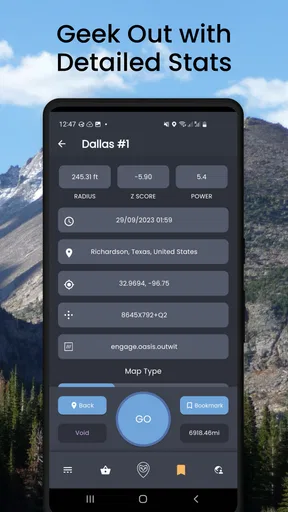
Our Review of Randonautica
 Analysis by Appyee
Before I use a location-based exploration app, I want to know what kind of trust it asks for. Randonautica is built around visiting randomly generated coordinates, so the practical questions are not only where it might send me, but whether I can judge a suggested destination for myself and stop when it does not feel right. I see it as a prompt for an outing, not as an authority on places or a guarantee that a destination will be safe, meaningful, or accessible.
Trust starts with the choices I can see
My cautious approach is simple: I check the route and surroundings before moving, keep my phone use sensible outdoors, and treat any coordinate as a suggestion. A random point is not the same thing as a vetted attraction or a walking route. That distinction matters most when a map pin is near a road, a restricted-looking site, or somewhere I would not ordinarily choose to enter.
I also separate the app’s unusual premise from claims people may attach to it. Setting an intention can make a walk feel more focused, but it does not prove that a destination was selected to match that thought. I enjoy the possibility of finding an interesting place; I would not use a coincidence as evidence that the app knows what I am thinking or can predict what will happen.
Controls are only useful when I use them
The visible user choice at the heart of the experience is whether to go toward a generated point at all. I can decide that a location is too far, inconvenient, or uncomfortable and turn the outing into an ordinary walk somewhere else. That freedom is more important to me than treating every result as a challenge to complete.
For location-based use, I review the device’s permission prompt rather than tapping through automatically. If I do not want to share location access, I can decline it or change the setting through my phone, though that may limit location-related use. I would also look through the app’s current privacy information and account options before sharing personal details or posting anything publicly. Those are sensible checks for any app that connects an experience to where I am; I do not assume a control exists unless I can actually see it.
When a coordinate meets real life
A generated point can land somewhere that is difficult to reach, privately owned, or simply unremarkable. I plan for that possibility by checking the map, staying on public routes, and setting a clear turnaround point. If reaching the pin would mean crossing a fence, entering a building, or ignoring a warning sign, I stop. Curiosity does not override permission or common sense.
Location also becomes personal in ordinary ways: a walk may pass a home, a workplace, or a place someone would rather keep private. I avoid photographing strangers or identifying private addresses in anything I share. That keeps the experience respectful and makes the app’s community side feel less like a reason to broadcast every detail of an outing.
For a low-pressure test, I would use it in daylight in a familiar public area, with enough time to wander and a normal map available as backup. I would not make it my only navigation tool, rely on it for an urgent trip, or follow a result into an isolated place. Those limits do not spoil the concept; they make it easier to enjoy without confusing randomness with guidance.
What is Randonautica?
Randonautica is an app that encourages you to explore your surroundings using random coordinates. It’s like a digital treasure map, but instead of finding gold, you find mystery and new experiences. The app uses a quantum random number generator to provide you with a set of coordinates near your location, prompting you to head out and see what you can discover.
How Does it Work?
The idea is simple yet intriguing. You start by setting an intention or a theme for your adventure. This could be anything from "peace" to "curiosity." Then, Randonautica generates a random point on the map for you to visit. The magic happens in the journey and the discoveries you make along the way. It’s about letting go of expectations and embracing the unknown.
My Personal Adventure
I was skeptical at first, but I decided to give it a shot. I set my intention to "creativity" and got my coordinates. The location was about a mile away in a part of town I’d never visited. As I walked, I noticed little things I’d never seen before—a quirky mural, a hidden café, and a bustling park filled with street performers. It was like seeing my city through a new lens.
The endpoint was a small art gallery I had no idea existed. It was delightful and oddly fitting, considering my intention. It made me realize how much I overlook in my daily routine.
Why Use Randonautica?
If you’re someone who loves adventure or just wants to break the monotony of daily life, this app is a gem. It encourages you to step out of your comfort zone and explore places you’d usually ignore. Plus, it’s a fantastic way to get some fresh air and exercise.
The app also has a community aspect. You can share your adventures and discoveries with other users. It’s fascinating to see what others have found, and it adds a social element to the experience.
A better fit for wandering than navigation
I find the clearest use case is a free afternoon when I want to walk but do not have a destination in mind. For example, after finishing errands near a familiar part of town, I could set an intention, check whether the suggested point is reachable on public streets, and take a short detour. If I find a mural, a quiet green space, or simply a street I have never noticed, the outing has done its job even if the endpoint itself is ordinary.
That is a different purpose from a conventional maps app. Maps are better when I need the fastest route, a known destination, reliable turn-by-turn directions, or a place with confirmed opening hours. Randonautica is more appealing when the destination is deliberately uncertain and the walk itself is the point. I would use the two together rather than ask one to replace the other: let this app suggest a direction, then use a familiar map to judge access and get home.
It suits curious walkers, people who enjoy making their own small city adventures, and friends who are happy to improvise. It is a weaker fit for anyone who needs predictable results, has limited time, dislikes location-based experiences, or would feel pressured to reach every pin. If an unexpected route would make you anxious rather than interested, a planned neighborhood walk or a guide to known local places is likely a better choice.
Make the outing work on your terms
A useful habit is to decide your boundaries before requesting a point: how long you want to walk, what kinds of places are off-limits, and whether you are comfortable going alone. Then check the actual map before setting out. This prevents the random destination from quietly dictating the length or character of your day, and it gives you an easy reason to skip a result that does not fit.
I would also keep expectations loose when choosing an intention. A theme such as “curiosity” can help me notice details, but I treat it as a personal lens, not a promise that the coordinate will produce a matching scene. That small distinction makes the experience more enjoyable: I can appreciate a surprising coincidence without feeling misled when a point leads to an ordinary street or an inaccessible location.
For a group outing, agreeing on a public meeting point and a time to head back is more useful than competing to follow the most unusual result. For a solo walk, I would tell someone where I am going if the outing takes me somewhere unfamiliar and keep enough battery and data for ordinary navigation. These are not special tricks; they are practical ways to keep a playful app from becoming the only plan.
Things to Keep in Mind
While the app is a fantastic tool for exploration, it’s important to remain safe. Always be aware of your surroundings, and avoid venturing into unsafe areas, especially if you’re alone. The app provides some safety tips, but it’s up to you to use common sense.
Also, the app can be a little glitchy at times, and the coordinates may lead you to private property or inaccessible areas. Just roll with it and enjoy the journey. Remember, it’s about the adventure, not the destination.
Practical limits, cost, and what to expect
The app is free to install, while optional in-app purchases range from about fifty cents to seventy dollars per item. I would try the basic experience first and only consider paying if I understand what an extra purchase does and genuinely want it; curiosity about the concept is not a reason to spend before I know whether the format suits me. It is rated for everyone, but that should not be mistaken for a guarantee that every generated outing is appropriate for every age or situation. Younger users still need sensible supervision around unfamiliar locations.
Randonautica comes from Randonauts Co. and sits in the travel-and-local category, though it behaves less like a conventional travel guide than a spontaneous-walk generator. Its average rating is around 4.6 from roughly 81,000 ratings, and it has passed 10 million installs. Those figures suggest plenty of people have tried it, but they do not tell me whether a particular coordinate will be useful or whether the app’s style will suit me.
The current version is 3.2.1, and it runs on Android 7.0 or later. I would still check that my device and location settings are ready before heading out, rather than discovering a setup issue halfway through a planned walk. More importantly, I would keep a regular navigation option available, because random exploration and dependable directions solve different problems.
One question people often have is whether they must follow the point they receive. I would not treat it that way: the app can start an idea, while the decision to go, change course, or stop remains mine. Another is whether an intention guarantees a related discovery. I see no reason to expect a guarantee; the theme is most useful as a way to focus attention and make the walk feel deliberate.
People may also wonder whether it is suitable for a quick errand or for finding a specific attraction. In my view, neither is its strength. For a tight schedule, a direct route is more practical; for a known landmark or open venue, a standard map or local guide is less unpredictable. The app makes more sense when I have time to explore and am comfortable with the possibility that nothing remarkable happens.
Final Thoughts
Randonautica is more than just an app—it’s an invitation to see the world differently. It’s perfect for those who crave the thrill of discovery and want to experience their environment in a new way. So, if you’re ready to inject a little spontaneity into your life, give it a try. Who knows what you might find?
Whether you’re a seasoned adventurer or someone looking to shake things up, Randonautica offers a unique blend of technology and exploration. Download it for Android or iOS and start your own adventure today.
My verdict is positive, with an important boundary: I recommend it as a playful nudge to notice the places around you, not as a trusted guide to where you should go. I would use it when I have time, daylight, and a public route that feels comfortable, and skip a result whenever the real-world setting gives me a reason to do so. If that balance sounds appealing, the app offers a distinctive way to turn an ordinary walk into an open-ended one; if you want certainty, efficient directions, or curated recommendations, a conventional maps or local-discovery app is the better tool.
Verdict
Strengths of Randonautica
- Encourages exploration of local areas
- Promotes outdoor activity and adventure
- Simple and intuitive user interface
- Integrates with maps for easy navigation
- Unique concept that sparks curiosity
Limitations of Randonautica
- Requires constant internet connection
- Potential safety concerns in unfamiliar areas
- Limited features in free version
- App crashes occasionally reported
- Location accuracy can be inconsistent
Similar Picks in This Category
View All
Google Maps
Google LLC3.4

Google Maps Go
Google LLC4.1

Booking.com: Hotels & Travel
Booking.com Hotels & Vacation Rentals4.8

Google Earth
Google LLC3.8

Skyscanner Flights Hotels Cars
Skyscanner Ltd4.8

trivago: Compare hotel prices
trivago N.V.4.4
Frequently Asked Questions
What is Randonautica and how does it work?
Randonautica is an app that generates random coordinates for users to explore. By setting an intention and following the directions to a randomly generated location, users embark on a journey of unexpected discovery. The app leverages quantum random number generation to create a unique adventure each time.
Is Randonautica safe to use?
While Randonautica promotes exploration and adventure, users should exercise caution. It's essential to consider personal safety by avoiding dangerous areas, traveling in groups, and respecting private property. Always be aware of your surroundings and inform someone of your plans before setting off.
Does Randonautica require an internet connection?
Yes, Randonautica requires an internet connection to function. The app needs access to GPS and data services to generate coordinates and provide directions. Ensure your device has internet access and location services enabled for the best experience.
Can I use Randonautica without setting an intention?
While setting an intention is a key part of the Randonautica experience, it is not mandatory. Users can choose to explore without a specific intention if they prefer. However, setting an intention can enhance the experience by adding a layer of personal meaning to the journey.
Are there any costs associated with using Randonautica?
Randonautica is free to download and use, but it offers in-app purchases. These purchases can include features like additional coordinate generations or premium content. Users can enjoy the basic functionalities without payment or choose to enhance their experience through optional purchases.
